Google Business Profile Insights Explained (What to Track, What to Ignore)
Confused by GBP Insights? Learn which metrics actually matter for calls and bookings — and which ones to ignore. A simple guide for busy owners.

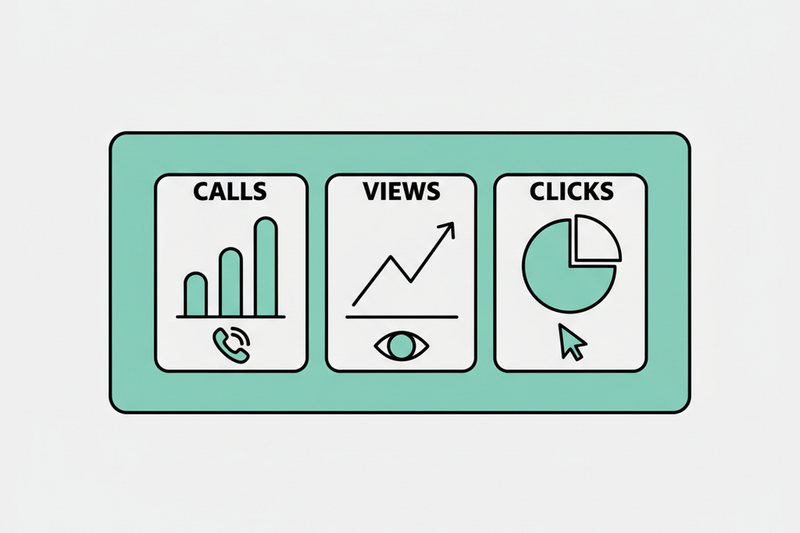
You open your Google Business Profile and see a pile of numbers: views, searches, clicks, calls. It’s easy to do what most busy owners do, stare at it for 30 seconds, shrug, and go back to the real job.
Here’s the problem: google business profile insights can either calm you down (because you know what’s working), or make you chase noise (because the loudest numbers aren’t the ones that pay).
You’re going to learn which metrics actually connect to calls and bookings, which ones are basically entertainment, and a simple weekly routine you can run in about 15 minutes.
How Google Business Profile Insights actually works (and why it can mislead you)
Think of Insights like the dashboard in your truck or van. It tells you what’s happening, but it doesn’t tell you why a customer chose you over the guy down the street. And if you stare at the speedometer, you still might miss the road.
GBP Insights is mostly answering two questions:
- How did people find you? (Search terms, branded vs discovery)
- What did they do next? (Calls, website clicks, direction requests, messages)
That’s it. No magic. No mind reading.
Branded vs discovery matters more than you think
If most of your searches are branded (your business name), you’re already known. That’s good, but it also means GBP isn’t doing as much “new customer” work as you might assume.
Discovery searches are the opposite. That’s when you show up for service + city, or service near me. In industry reporting, discovery can make up the bulk of visibility (one widely cited breakdown puts it around 84% of impressions). That’s the part you want to grow if your goal is “more new leads without paying for every click.”
You’re seeing samples, not a full movie
Insights data is real, but it’s not perfect attribution. A few common gotchas:
- A customer can see you in Maps, then call later from your website, or vice versa.
- Some actions get undercounted (especially if you don’t have tracking set up).
- Google changes what it reports over time. Older metrics like photo view counts and device breakdowns have been reduced or removed in many accounts, so you can’t build a strategy around them.
If you want a deeper walk-through of what the sections mean, this guide on how to analyze Google Business Profile Insights does a solid job laying out the categories.
The key is this: treat Insights as your weekly scoreboard, not your identity.
For the full breakdown, see our full GBP optimization checklist.
The numbers worth caring about (because they tie to calls and booked jobs)
Not sure where to start? Our setting up your GBP services list walks you through it step by step.
Most owners check the wrong “top line.” They obsess over views and forget to ask, “Did this turn into work?”
If you only track a few things, track actions. Actions are your closest proxy to money.
The three actions that usually matter most
Across many profiles, website clicks be the most common action (one industry breakdown pegs it around 48% of interactions). Calls and direction requests are next, with rough averages in some reports landing around 50 calls per month and 66 direction requests per month for an active profile. Those are not goals, they’re reference points so you can sanity check your own numbers.
Here’s the simple translation:
If your business is a true service area business (you drive to them), direction requests might matter less. If you’re a clinic, restaurant, or retail shop, it can be one of the cleanest signals you’ve got.
Search queries are useful, but only if you treat them like customer language
GBP will show you the queries people used to find you. Don’t turn it into a keyword scavenger hunt.
Use it for three practical things:
- Category checks: If you’re showing up for oddball queries, your primary category might be off.
- Service gaps: If people search “emergency” and you actually do emergencies, that should show up clearly in your services and description.
If that sounds familiar, check out picking the right GBP categories.
- Review prompts: When customers naturally mention “water heater install” or “gentle dentist,” you want that language reflected in reviews over time, because reviews influence both ranking and conversion.
This is the “Neighborhood > Keywords” idea in real life. You don’t need 200 phrases. You need to show up, and win, for the money terms people in your area actually use.
For a broader list of what many teams track month to month, these GBP metrics to track in 2026 line up with what you see in the field, as long as you stay focused on actions over vanity numbers.
A quick reality check with proof, not vibes
When you run GBP with a weekly cadence (clean categories, consistent posts, fresh photos, fast review replies), you typically see movement in 30 to 90 days, not overnight.
We’ve seen it look like this:
- A home services company moved from the bottom of the Map Pack to the top group in about two months, and call volume climbed by roughly a third.
- A med spa raised its average rating by a bit over one star in about 90 days, review velocity doubled, and bookings followed.
That’s not from one “big trick.” It’s from small, boring work done every week.
What to ignore (and a 15-minute weekly check-in routine you’ll actually keep)
If you want to stay sane, you need a short “ignore list.” Otherwise you’ll end up making decisions based on numbers that don’t connect to real leads.
What you can stop obsessing over
These are the usual time-wasters:
- Raw impressions and views (by themselves): Nice to see, but they don’t pay payroll. Tie them to actions or they’re trivia.
- One weird query spike: Google tests things. Your competitor might have closed for the day. Don’t rebuild your business around a Tuesday.
- Photo counts as a flex: Photos matter, but “we uploaded 200 photos” is not a KPI. The KPI is what happened to calls, directions, and bookings.
- Daily checking: If you check every day, you’ll see random noise and call it a trend.
Your simple weekly routine (15 minutes, same day each week)
Pick one day, same time. Put it on your calendar. Keep it boring.
- Record three action numbers: calls, website clicks, direction requests (last 7 days).
- Compare to your recent baseline: last week, and last 4-week average. You’re looking for direction, not perfection.
- Scan the top queries: look for obvious mismatches (wrong service, wrong intent, wrong area).
- Check reviews and responses: new reviews, response time, any negatives that need a calm reply. Reviews are a ranking signal and a conversion asset, so treat them like inventory.
- Make one change, not ten: update a category, add 3 to 5 fresh photos, publish a post, or fix hours. Cadence beats stunts.
If you want one extra layer of clarity, add tracking. Use UTMs on your GBP website link, and consider call tracking so “calls” becomes “calls that became jobs,” not just a counter.
For a reporting-oriented view of Insights that’s easy to explain to a partner or team member, this breakdown of Google Business Profile insights tips and best practices can help you tighten what you look at each month.
Conclusion: keep Insights simple, and let the work compound
Google business profile insights isn’t a report card on your business. It’s a weekly instrument panel that tells you whether GBP is producing real buyer actions.
Track calls, direction requests, and website clicks, use queries as customer language, ignore vanity numbers, and stick to a weekly cadence for 90 days. That’s how you defend the Map Pack without living in spreadsheets.
If you want someone to run that cadence for you, start with a simple goal: more attributable calls and bookings, week by week, without status theater.